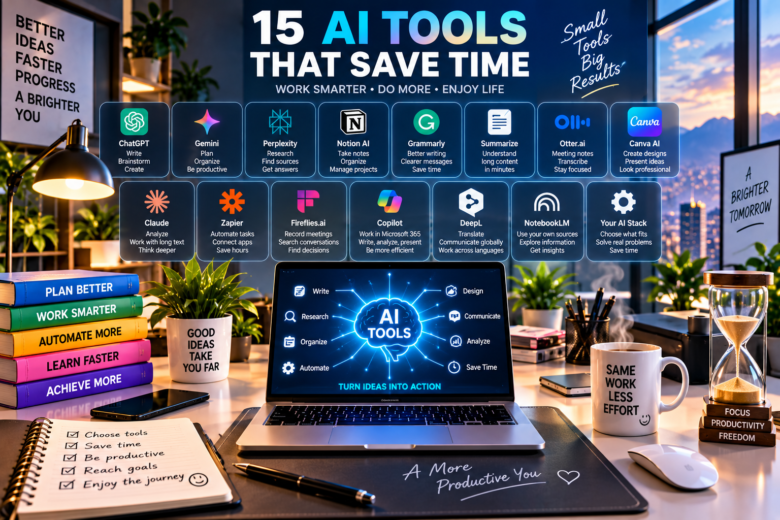
AI Tools That Save Time: A Practical Guide for Everyday Work
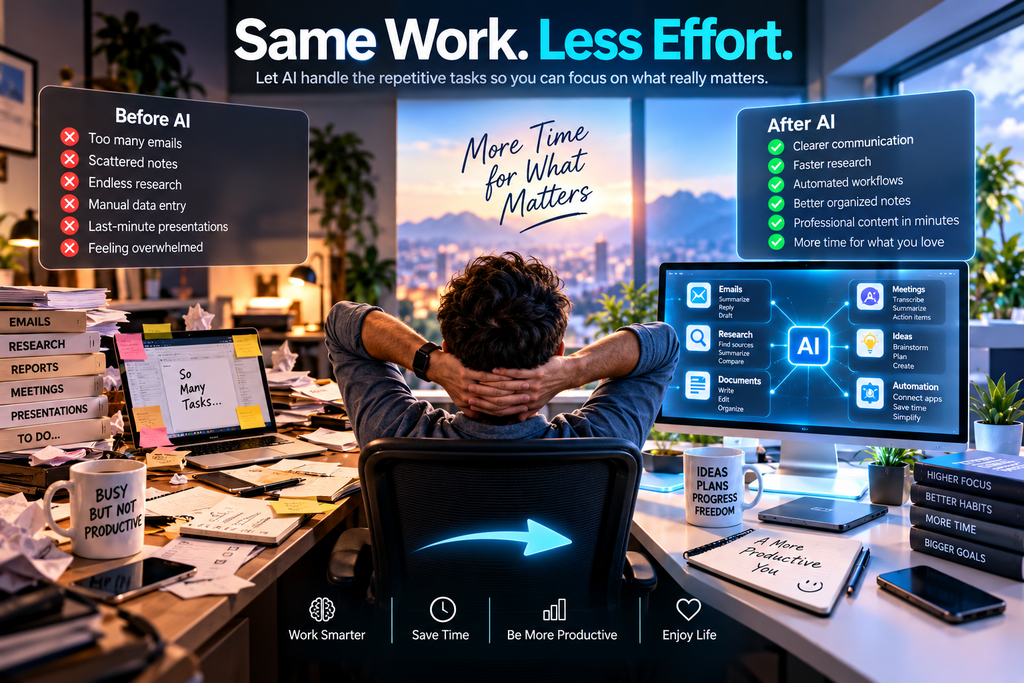
Artificial intelligence is often presented as something that will completely transform the way we work. But for most people, the real value of AI is much simpler: it can remove small, repetitive tasks that quietly consume hours every week.
Think about a typical workday. You may spend time rewriting an email because the first version sounds too formal, summarizing a long document before a meeting, searching through notes for one important detail, organizing ideas for a presentation, or turning a rough list of thoughts into something another person can actually understand.
None of these tasks seems particularly difficult. The problem is how often they happen.
This is where AI tools that save time can become genuinely useful. The goal is not to hand over every decision to artificial intelligence. Instead, the smartest approach is to identify repetitive parts of your routine and use AI as a practical assistant.
For example, imagine that you receive several pages of meeting notes at the end of the day. Instead of reading everything again just to identify the main decisions, an AI assistant can help organize the notes into key points, unanswered questions and possible next steps. You still review the result and make the final decisions, but you avoid starting from a blank page.
That distinction matters.
AI works best when it helps you move faster while you remain responsible for checking the final result. It can misunderstand context, overlook important details or occasionally provide incorrect information. For important professional, financial, legal or personal decisions, human review remains essential.
The following tools were selected because they can help with real tasks rather than simply because they are popular. Some are broad AI assistants, while others are designed for more specific workflows. You do not need all 15. In fact, finding two or three that solve problems you encounter every week may be far more useful than creating accounts for every new AI product you see online.
- ChatGPT: Turn a Blank Page Into a Useful First Draft
One of the easiest places to lose time is at the beginning of a task. You know what you need to produce, but you are staring at an empty document wondering how to organize it.
ChatGPT can be useful at this stage because it can help turn rough instructions, scattered notes or an unfinished idea into a structured starting point. It can assist with drafting, rewriting, summarizing, brainstorming, translating and explaining information.
Suppose you need to write a follow-up email after a meeting. Instead of spending fifteen minutes trying to make it sound professional, you could provide the essential information:
“Write a friendly follow-up email thanking the team for today’s meeting. Mention that the revised proposal will be ready Thursday and ask everyone to send final comments before Wednesday afternoon.”
You now have something to edit rather than something to invent from scratch.
That is a small difference, but repeated across emails, reports, summaries and planning tasks, it can save meaningful time.
The important habit is to treat the first AI response as a draft rather than an unquestionable finished product. Add details that only you know, remove generic language and check factual claims before using the result.
A Simple Time-Saving Workflow
Instead of asking an AI tool to “write something about my project,” give it three things: the goal, the relevant context and the format you want.
For example:
Goal: Prepare me for tomorrow’s project meeting.
Context: Here are my notes from the last meeting.
Output: Give me five key points, three unresolved questions and a short list of actions.
Clear instructions usually produce something much closer to what you actually need.
- Gemini: Useful When Your Work Already Lives in Google
For people whose daily routine revolves around Google services, Gemini can be particularly interesting because Google is increasingly connecting its AI capabilities with everyday productivity workflows.
In 2026, Google expanded Gemini with more connected-app functionality and productivity features designed to help people organize information and complete tasks across services.
The practical advantage is context.
Imagine that your workday involves Gmail, documents, notes and other Google services. The useful question is not simply, “Which chatbot writes the best paragraph?” It may be, “Which tool reduces the number of times I have to jump between applications?”
For someone dealing with a busy inbox, documents and daily planning, reducing those transitions can matter more than generating impressive-looking text.
Gemini can also be useful for brainstorming, summarizing information, planning projects and exploring different approaches to a problem. But, as with any AI assistant, generated information should be reviewed before it becomes part of an important decision or published work.
When Gemini May Save the Most Time
Gemini makes the most sense when you already spend a significant part of your day inside Google’s ecosystem. If you rarely use those services, another AI assistant may fit your workflow better.
And that leads to one of the most important lessons in this guide:
The best AI tool is not necessarily the one with the longest feature list. It is the one that removes friction from something you already do repeatedly.
- Perplexity: Research Without Opening Twenty Browser Tabs
Research can consume an enormous amount of time, especially when the answer you need is scattered across several websites. You search for one question, open five tabs, discover another question, open five more, and suddenly half an hour has disappeared.
Perplexity approaches this problem differently. It searches the web and produces a conversational response supported by citations and links to original sources, allowing you to investigate the information behind the answer instead of receiving an unsupported block of text.
This can be particularly useful when you are beginning research on an unfamiliar subject.
Imagine you are preparing a presentation about how small businesses are adopting artificial intelligence. Instead of immediately collecting dozens of unrelated articles, you could begin with a focused question:
“What are the most common ways small businesses are currently using AI to reduce repetitive administrative work?”
The response can give you a map of the subject and sources worth investigating further.
For more complex questions, Perplexity also offers a Research mode designed to perform deeper searches and synthesize information into a more comprehensive report.
Where the Time Saving Really Happens
The advantage is not that you should stop reading original sources.
It is that you can identify potentially useful sources much faster.
For serious research, open the citations, check publication dates, compare important claims and give greater weight to primary or authoritative sources. AI-assisted research becomes much more valuable when it helps you find evidence rather than replacing evidence.
- Notion AI: Turn a Workspace Into an Active Assistant
A surprising amount of working time is lost searching for information you already created.
Where did we write that project decision? Which page contains the launch checklist? What happened during last week’s meeting? Which document has the latest version of the plan?
If your notes, projects and documents already live inside Notion, Notion AI can reduce some of that friction because its AI works directly with pages, documents, tasks, databases and, when enabled, connected applications.
That makes it different from copying information into a separate chatbot every time you need assistance.
Current Notion AI capabilities include working with documents, searching workspace information, generating drafts, creating and editing databases, producing meeting notes and using agents for recurring workflows.
Consider a small team that keeps project notes in Notion. Instead of manually reading several pages before a weekly meeting, the workspace can become the starting point for questions such as:
“Summarize the important decisions from this project and identify the tasks that still appear unresolved.”
The usefulness comes from reducing the distance between where information is stored and where AI assistance happens.
Who Gets the Most Value From It?
Notion AI makes the most sense for someone who already uses Notion consistently.
If your information is scattered across random folders and applications, adding another productivity platform may actually create more work. But if Notion is already the center of your workflow, integrated AI can reduce repetitive searching, summarizing and organizing.
- Grammarly: Spend Less Time Rewriting Everyday Communication
Not every time-saving AI tool needs to perform complicated research or automate an entire workflow.
Sometimes the biggest improvement is simply writing a clear message faster.
Grammarly’s current AI tools can assist with drafting, brainstorming, recommendations and polishing existing writing while you work.
Imagine writing an important email and realizing that it sounds more aggressive than you intended. You could spend several minutes rewriting individual sentences, or use AI assistance to create a clearer and more appropriate version and then make your own final adjustments.
This can be particularly useful for people who write frequently throughout the day: emails, proposals, reports, customer responses, internal messages and professional documents.
The time savings may seem small on a single message. But saving a few minutes across many writing tasks can add up over an entire week.
Do Not Let Polished Writing Erase Your Voice
There is one important downside to watch for.
If every sentence is heavily rewritten by AI, your communication can begin to sound generic. Use suggestions to improve clarity, but preserve expressions and details that make the message sound like you.
The objective is faster communication, not identical communication.
- Use AI to Summarize Long Information — But Keep a Verification Habit
This sixth idea is deliberately different: it is a workflow rather than another account you need to create.
Many modern AI assistants can summarize long text. That can be valuable when you have a report, meeting transcript, research document or collection of notes and need to understand its structure quickly.
But instead of asking:
“Summarize this.”
try asking:
“Give me the five main points, list every date or number that could affect a decision, identify anything that appears uncertain, and tell me which sections I should read in full.”
That changes AI from a shortcut for avoiding the document into a tool for deciding where your attention is most valuable.
For example, a 30-page report may contain only six pages directly relevant to your project. A structured AI overview can help identify those sections first.
Then you read the important material yourself.
This habit is especially useful because summaries can omit context. When a number, deadline, contractual detail or important decision matters, always return to the original source and verify it.
The Real Goal Is Better Attention
Saving time with AI does not mean doing everything faster.
Sometimes it means spending less time on low-value repetition so you can spend more time on the parts that require judgment, creativity and experience.
That is the principle we will use throughout the rest of this guide.

- Otter.ai: Spend Less Time Taking Meeting Notes
Meetings often create a second task after the meeting itself: organizing everything that was discussed. Important decisions may be buried inside handwritten notes, while action items can easily be forgotten.
AI transcription and meeting-assistant tools such as Otter.ai can help capture conversations, generate transcripts and produce summaries that are easier to review later.
Instead of trying to write down every sentence during a meeting, you can focus more attention on the conversation and use the transcript afterward to locate important sections.
The biggest advantage is not simply having a written record. It is being able to turn a long conversation into something actionable.
After a meeting, review the AI-generated material and organize it into three categories: decisions, responsibilities and deadlines.
Always remember that meeting recordings can involve privacy and consent requirements. Make sure participants know when recording or transcription tools are being used and follow applicable workplace rules.
- Canva AI: Create a Visual Starting Point Faster
Creating a presentation, social media graphic or simple promotional design can take much longer than expected, especially when you begin with an empty canvas.
Canva’s AI-assisted design features can help generate initial layouts, visual concepts and content that you can then customize.
Imagine preparing a presentation for the next morning. Instead of spending the first hour deciding how every slide should look, you can start with a generated visual direction and concentrate your time on improving the message.
This does not mean accepting the first design automatically.
Colors, images, typography and wording should still be reviewed so the finished material reflects your own project or brand.
The real time-saving benefit is eliminating some of the repetitive setup work between an idea and the first usable version.
- Claude: Work Through Long and Complicated Material
Some tasks are difficult not because they require a quick answer, but because they involve a large amount of information.
An AI assistant such as Claude can be useful when you need help analyzing lengthy material, organizing complicated ideas or transforming extensive notes into a clearer structure.
For example, imagine that you have collected research notes for several days and now need to create a report. Instead of manually deciding where every idea belongs, you can ask the assistant to identify themes, contradictions, unanswered questions and possible sections.
A useful instruction could be:
“Organize these notes into major themes. Do not remove conflicting information. Highlight anything that needs additional verification before I write the final report.”
That last instruction is important because good organization should not hide uncertainty.
AI can help you understand a large information set more quickly, but the original material should remain your reference whenever accuracy matters.
- Zapier: Connect Repetitive Steps Into a Workflow
Sometimes the biggest waste of time is not writing or research. It is moving information from one application to another.
A new form arrives. You copy the information into a spreadsheet. Then you create a task. Then you send a notification. None of these steps is difficult, but repeating them dozens of times can consume hours.
Automation platforms such as Zapier are designed to connect applications so that one event can trigger another action. AI capabilities can make some of these workflows more flexible by helping process, classify or transform information along the way.
A simple workflow might look like this:
New form submission → organize the information → create a task → notify the appropriate person.
Before automating an entire business process, however, start with one repetitive task that has predictable inputs and outputs.
Test it several times.
Automation saves time only when you can trust what happens after the trigger.
- Fireflies.ai: Make Past Meetings Easier to Search
The value of a meeting does not disappear when the call ends.
Weeks later, someone may ask, “When did we decide that?” or “What exactly did the client request?”
Meeting-assistant tools such as Fireflies.ai can create searchable records of conversations, helping teams return to previous discussions without manually reviewing an entire recording.
This can be particularly useful when projects involve recurring meetings and decisions accumulate over several weeks.
Instead of relying exclusively on memory, you have another way to locate the discussion and then verify the relevant context.
As with any meeting-recording service, privacy matters. Avoid treating recording as automatic. Consider participant consent, company policy and the sensitivity of the information being discussed.
A Useful Rule Before Adding Another AI Tool
At this point, you may notice something important: several AI products can solve overlapping problems.
That is exactly why you should resist installing everything.
Before adopting another tool, ask yourself:
“Which repetitive task will this remove from my week?”
If you cannot answer that question clearly, you probably do not need the tool yet.
The purpose of AI tools that save time is not to build the largest collection of AI subscriptions. It is to create a smaller, simpler workflow that gives you more time for work that actually requires you.
- Microsoft Copilot: Reduce Repetitive Office Work
For many people, a large part of the working day happens inside documents, spreadsheets, presentations, email and meetings. This makes AI particularly useful when it is integrated into tools you already use rather than requiring you to constantly move information between applications.
Microsoft Copilot can assist with tasks such as drafting content, summarizing information, exploring data and preparing material for presentations, depending on the Microsoft products and plan being used.
Imagine finishing a project with pages of notes and needing to prepare a short presentation for your team. AI can help create an initial structure, identify major themes and suggest how the information could be divided into slides.
You still decide what deserves attention and verify the details, but you avoid beginning every task from zero.
The greatest potential time saving comes when AI becomes part of an existing workflow rather than another separate application you have to remember to use.
- DeepL: Communicate Across Languages More Efficiently
Working across languages can add extra steps to even simple tasks. You may understand the basic meaning of a message but still spend time making sure your response sounds natural and professional.
DeepL provides AI-assisted translation and writing tools that can help translate text and refine wording.
For someone communicating with international customers, suppliers or colleagues, this can make everyday multilingual work considerably faster.
But context still matters.
A technically correct translation may not capture humor, regional expressions, industry terminology or the tone of an important business conversation. For sensitive or high-stakes communication, human review remains valuable.
The best use is often straightforward: let AI handle the initial translation and spend your own time reviewing the details that actually require cultural or professional judgment.
- NotebookLM: Ask Better Questions About Your Own Sources
Searching the entire internet is not always what you need.
Sometimes the information you care about is already sitting in a collection of reports, notes, documents or reference material.
Google’s NotebookLM is designed around working with sources you provide. This can make it useful when you want to explore a defined collection of information rather than begin with a broad web search.
Imagine preparing for an important meeting with several reports and background documents. Instead of repeatedly opening each file to remember where a topic was mentioned, you can use an AI-assisted research environment to explore the material and identify relevant passages.
This creates an important distinction:
Web research helps you discover information. Source-based AI helps you work with information you have already selected.
That can save substantial time when a project contains many documents.
As always, return to the underlying source when an exact quotation, number, date or critical detail matters.
- Choose Your AI Stack Instead of Collecting AI Tools
The final tool is not really a product.
It is a decision.
New AI applications appear constantly, and it is easy to spend more time experimenting with productivity tools than actually being productive.
A better approach is to build a small AI stack around your recurring problems.
For example, one person might need only:
One general AI assistant for drafting and brainstorming.
One research tool for finding and checking information.
One automation tool for repetitive processes.
One specialized tool for the task that consumes the most time in their particular job.
That may be enough.
At the end of each month, ask yourself which tools actually saved time. If you cannot identify a repeated task that became faster or easier, reconsider whether that tool deserves a permanent place in your workflow.
Final Thoughts: Save Time First, Add AI Second
The most useful artificial intelligence is often the least dramatic.
It may be an email that takes three minutes instead of fifteen. It may be a meeting summary that helps you find one important decision. It may be a research assistant that points you toward the right sources or an automation that eliminates a repetitive administrative step.
Those small improvements accumulate.
The mistake is starting with the question, “How can I use more AI?”
A better question is:
“What repeatedly takes my time, and which part of that task could technology handle safely?”
Start there.
Choose one recurring task this week and measure approximately how long it normally takes. Then try one appropriate AI tool and compare the result. Check the quality carefully, include the time required for corrections, and decide whether the tool genuinely improved the process.
That simple experiment tells you much more than downloading ten applications because they happen to be popular.
Ultimately, the best AI tools that save time should give something back to you: more time to think, create, communicate, make decisions or simply finish your workday without carrying unnecessary repetitive tasks into tomorrow.
Comentarios
Pingback: 10 AI Tools for Small Businesses to Save Time in 2026
Pingback: AI Productivity Tools: How to Save Hours of Work Every Week