
AI Is Becoming a Practical Tool for Everyday Work
AI productivity tools are changing the way people handle everyday work, helping reduce repetitive tasks and save valuable time every week. Artificial intelligence is no longer something reserved for programmers, technology companies, or complicated research projects. Today, millions of people can use AI directly from a computer or smartphone to complete everyday tasks faster, organize information, develop ideas, and reduce repetitive work.
The real advantage is not asking AI to do everything for you. It is learning which parts of your daily workload can be completed faster with the right instructions.
Think about how much time disappears every week writing emails, reading long documents, searching through information, organizing notes, preparing presentations, brainstorming ideas, or rewriting the same information for different purposes. Many of these tasks can now be accelerated with AI.
A task that normally requires thirty minutes may sometimes take only a few minutes when AI is used correctly. Repeating that improvement across several tasks during the week can create hours of additional time.

Start With the Tasks You Repeat Most Often
Before choosing an AI tool, identify the activities that consume your time.
For example, imagine receiving a long document that you need to understand before a meeting. Instead of reading every page immediately, you could ask an AI assistant to identify the main ideas, important numbers, unanswered questions, and decisions that require attention.
A useful instruction could be:
“Summarize this document into five key points. Identify the most important numbers, potential problems, and three questions I should ask before making a decision.”
That is much more useful than simply asking:
“Summarize this.”
The quality of the instruction matters because AI works better when it understands exactly what result you need.
Turn Rough Ideas Into Organized Plans
Another powerful use of AI begins before you have finished developing an idea.
Suppose you want to start a project but only have several disconnected notes. Instead of spending an hour deciding how to organize everything, you can provide those notes to an AI assistant and ask it to create a structured starting point.
For example:
“Organize these ideas into a step-by-step project plan. Separate the tasks into what I should do today, this week, and later. Identify anything important that I may have forgotten.”
You still decide what to keep, change, or remove. AI simply helps transform an unorganized starting point into something easier to evaluate.
That distinction is important. The most effective way to use artificial intelligence is not to stop thinking—it is to spend less time on repetitive preparation so you can spend more time making the decisions that actually require your judgment.
How AI Productivity Tools Can Simplify Everyday Work
Use AI to Handle Writing Faster
Writing is one of the easiest areas where AI can save significant time. This does not mean publishing whatever an AI system produces. A better approach is to use it as a writing assistant.
You can start with your own information and ask AI to transform it into a clearer format. A collection of notes can become an email, a meeting summary, a proposal, a checklist, or a first draft.
For example:
“Turn these notes into a professional email. Keep it friendly and direct, preserve all important details, and keep it under 200 words.”
You can also give AI something you have already written and ask it to identify unclear sections rather than rewriting everything.
Try:
“Review this text and identify sentences that are repetitive, confusing, or unnecessarily long. Explain what should be improved without changing the meaning.”
This approach keeps you in control of the final result while reducing the amount of time spent editing.
Research a Topic Without Getting Lost in Information
Online research can consume hours because finding information is only the beginning. You still need to compare sources, identify contradictions, understand unfamiliar concepts, and decide which details actually matter.
AI can help organize that process.
Instead of asking a broad question, provide a clear research objective:
“I need to understand this topic as a beginner. Explain the five concepts I need to learn first, what questions I should investigate next, and what claims would require verification from reliable sources.”
This creates a roadmap before you start opening dozens of browser tabs.
However, AI-generated information should not automatically be treated as fact. Important dates, statistics, medical or financial information, quotations, and rapidly changing information should be checked against trustworthy original sources.
The time-saving benefit comes from using AI to organize the investigation—not from eliminating verification.
Turn Long Information Into Action Items
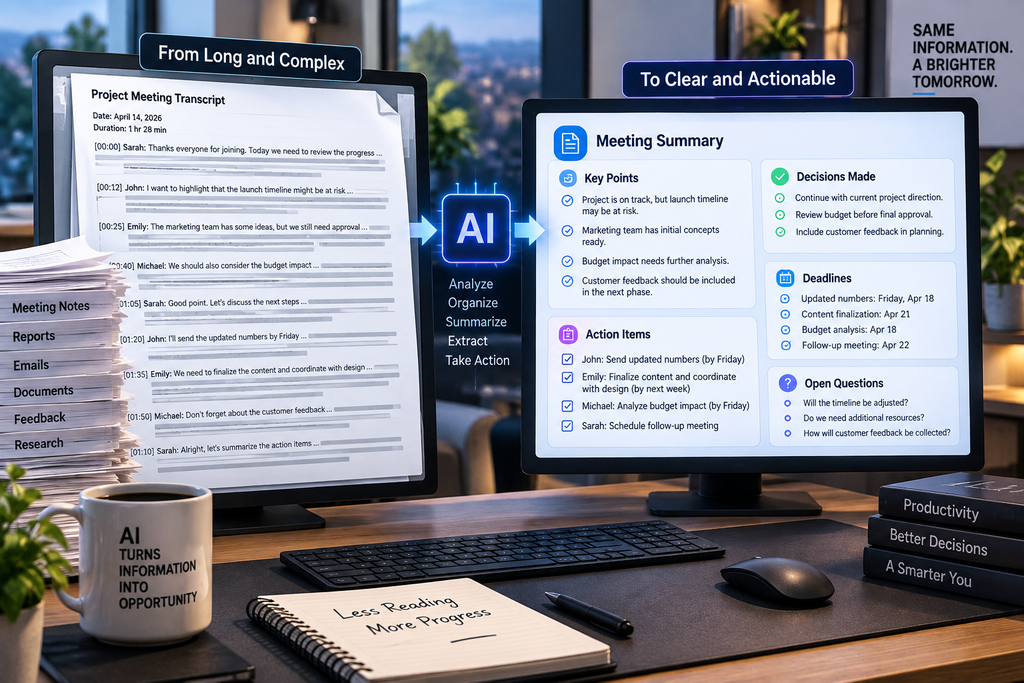
Meeting transcripts, reports, emails, and documents often contain useful information buried inside hundreds or thousands of words.
Instead of requesting only a summary, ask AI to separate information according to what you actually need to do.
For example:
“Analyze this meeting transcript. Create separate sections for decisions made, tasks assigned, deadlines mentioned, unresolved questions, and items that require follow-up.”
Suddenly, a long conversation becomes an actionable document.
The same technique can work with reports, customer feedback, survey responses, class notes, or your own brainstorming sessions.
This is where AI can provide some of its greatest everyday value: transforming large amounts of unstructured information into something you can understand and use much faster.
Build a Personal AI Workflow Instead of Starting From Zero Every Time
One of the biggest opportunities to save time with AI is creating repeatable workflows. If you perform the same type of task every week, you should not have to explain everything from the beginning each time.
Imagine that every Friday you need to review what happened during the week and prepare priorities for Monday. Instead of manually sorting through dozens of notes, you could collect the important information and use the same structured instruction every week.
For example:
“Review these notes from my week. Separate completed tasks, unfinished work, important decisions, and problems that need attention. Then create five priorities for next week in order of importance.”
The first time, you are simply using a prompt. After repeating the process, you have created a basic AI-assisted workflow.
The same idea can be applied to emails, reports, content planning, customer questions, study notes, project updates, and many other repetitive activities.
Use AI as a Second Pair of Eyes
AI can also be valuable after you believe a task is finished.
Before sending an important document, presentation, proposal, or email, ask an AI assistant to examine it from another perspective.
For example:
“Review this proposal as if you were the person receiving it. What information is unclear? What questions would you still have? Identify any claims that need stronger evidence.”
This is very different from simply asking AI whether the document is “good.”
You are giving the system a specific role and a clear objective. The response can reveal gaps that are difficult to notice after you have spent hours working on the same material.
Create Images and Visual Concepts From Simple Ideas
Generative AI is not limited to text.
Modern AI systems can create visual concepts from written descriptions, making it possible to explore ideas for presentations, social media graphics, product concepts, room designs, educational materials, storyboards, and many other projects.
The key is providing enough visual direction.
Instead of requesting:
“Create an office image.”
A more useful description might be:
“Create a realistic modern home office designed for a small apartment, with a floating desk, warm natural lighting, vertical storage, neutral colors, and no people.”
Specific instructions give the system information about the subject, environment, style, lighting, composition, and details that matter.
AI-generated visuals should still be reviewed carefully before professional or commercial use. Text inside generated images can contain errors, and visual details may not always be physically or factually accurate.
The Biggest Time Savings Come From Combining Tasks
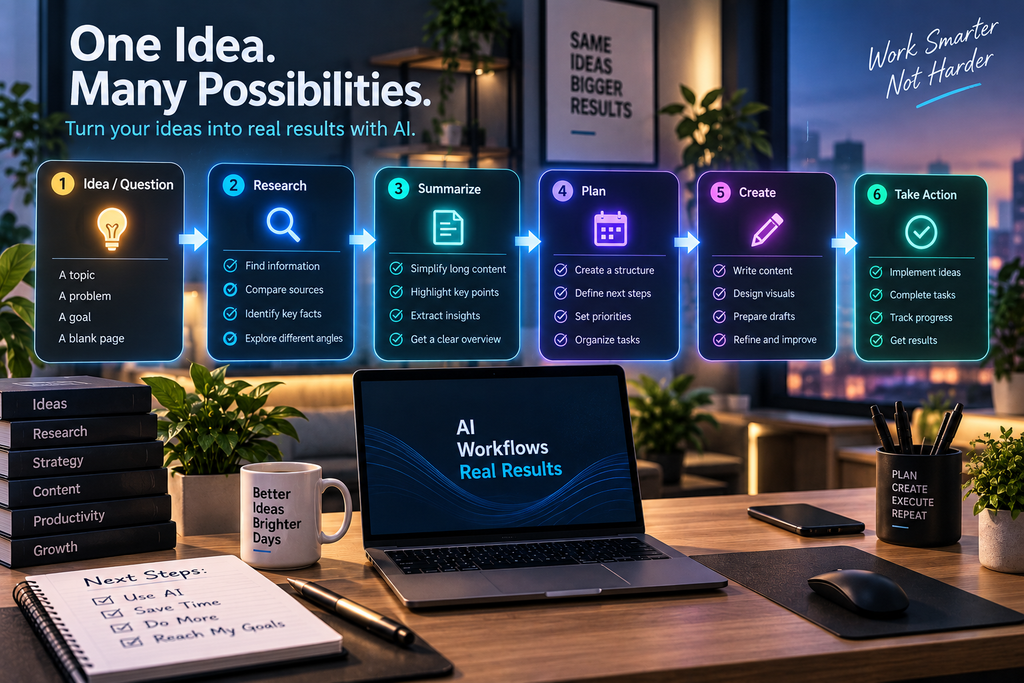
The real power appears when several AI-assisted steps are connected.
Imagine starting with a one-hour meeting transcript. AI could help you summarize it, extract decisions, create a task list, draft follow-up emails, and turn the most important information into a short presentation outline.
Instead of treating these as five completely separate jobs, information from one step becomes the starting point for the next.
That is how AI can move beyond being an interesting tool and become a practical part of everyday work.
What You Should Never Delegate Completely to AI
Saving time does not mean giving AI control over every decision.
Artificial intelligence can generate convincing answers even when some details are incomplete or incorrect. For that reason, important information should always receive human review.
Be especially careful when AI is involved with financial decisions, health information, legal matters, contracts, confidential business information, or anything where a mistake could have serious consequences.
You should also think carefully before uploading sensitive personal or company information to an AI service. Understand how the service handles your data and avoid sharing passwords, financial credentials, private identification numbers, or confidential information unnecessarily.
The safest workflow is simple: let AI accelerate the work, but keep important decisions and final verification in human hands.
A Simple 30-Minute AI Experiment
You do not need to redesign your entire working routine today.
Choose one repetitive task that normally takes at least 20 or 30 minutes. It might be organizing notes, preparing an email, summarizing information, planning your week, or creating the first structure for a document.
Complete the task once using your normal method and notice approximately how long it takes.
The next time, use AI for the repetitive parts. Give it the necessary context, explain exactly what result you want, and review the output carefully.
Then compare both processes.
Did AI actually save time? Did you spend too much time correcting the result? Which instructions produced better answers?
This small experiment can teach you more than trying dozens of AI tools without a clear purpose.
The Goal Is Not More AI—It Is More Useful Time
The most valuable question is not, “How many things can AI do?”
A better question is:
“Which parts of my week consume time without requiring my full attention or creativity?”
Those are often the best places to begin.
AI can help organize information, create first drafts, analyze long documents, generate ideas, prepare plans, produce visual concepts, and transform unstructured information into actionable steps.
But the person using the technology still provides the context, evaluates the result, verifies important information, and makes the final decisions.
Used this way, AI becomes more than a novelty. It becomes a practical productivity tool that can remove repetitive work from your week and give you more time for the tasks where your experience, creativity, and judgment matter most.

Comentarios
Pingback: 12 Smart Ways to Use AI for School Tasks and Study Better